
22/10/2026 11:38
Will the Size Guide Disappear? Telegram Auto-Delete Checks for Cambodian Container Wholesalers

A useful promotion can create a delayed question. Someone sees a container range during a lunch break, consults a colleague and returns later to check the lid dimensions. If the guide has disappeared, the shop must explain everything again. For Cambodian wholesalers supplying cafés, food sellers and small retailers, message availability deserves attention before promotion begins. Telegram auto-delete can help manage temporary conversations, but a product reference needs a deliberate lifespan. This guide explains how to review timers, separate lasting information from short-lived updates, test the customer journey and decide whether a post is ready for any SMM-related activity.
1. Start with the buyer’s return visit
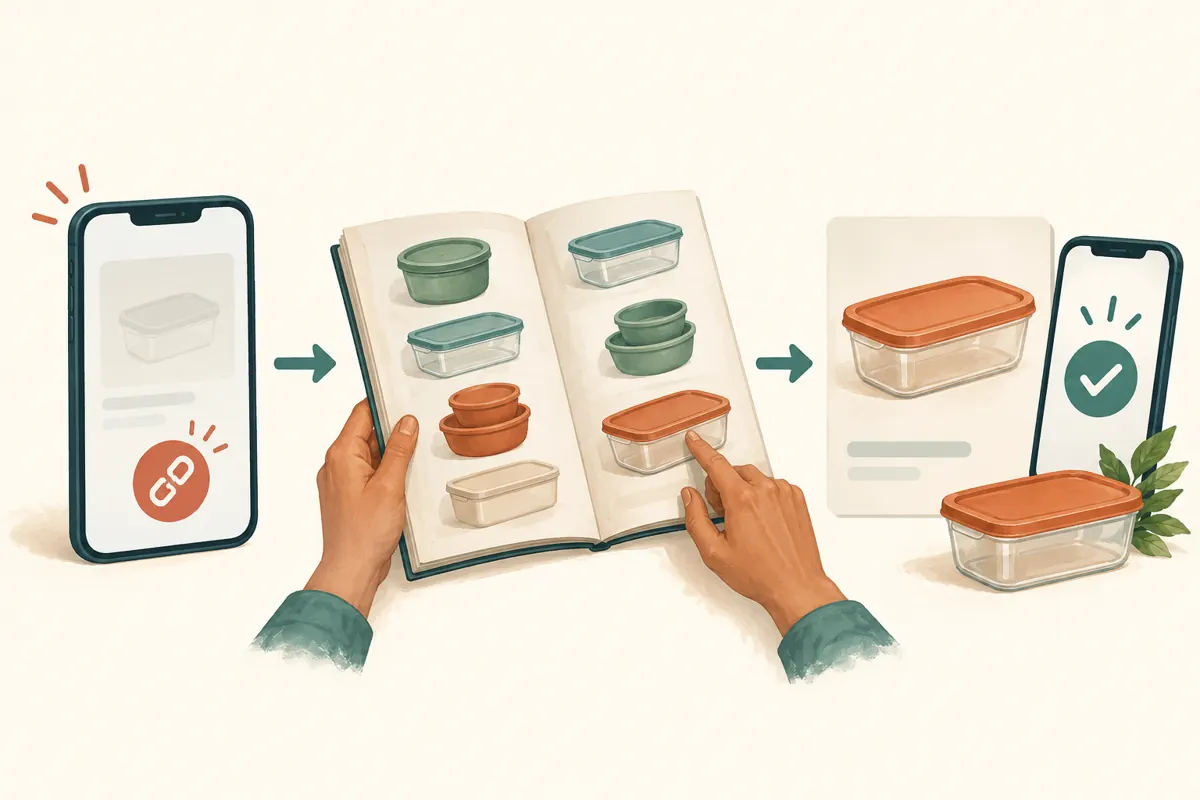
Consider a hypothetical Phnom Penh wholesaler selling reusable food containers. Its channel contains a lid-fitting guide, a carton-packing explanation and occasional delivery updates. A café supervisor may need to show the guide to the person who packs meals before requesting a quotation. The post therefore has a useful life beyond the moment someone first opens it. Removing it too early creates an avoidable gap between discovery and enquiry.
Before choosing a timer, write down what the reader must do next. For a fitting guide, that could be comparing the container base with its matching lid. For a delivery notice, it could be checking whether a particular collection window remains available. Ask a staff member who handles enquiries how often customers return to old information. Use that practical knowledge to decide what must remain accessible.
2. Understand the timer before changing it
Telegram’s official auto-delete announcement explains that the ordinary chat timer counts from when a message is sent, rather than when someone reads it. It also states that enabling the timer applies to messages sent afterward; earlier messages remain. This means a newly published guide can have a different lifespan from older material beside it. These mechanics are documented in Telegram’s Auto-Delete, Widgets and Expiring Invite Links article.
Inspect the actual channel’s auto-delete setting with the responsible administrator. Record the duration shown, the inspection date and the person responsible for future changes. Menu locations can differ between clients, so use the setting visible in the app rather than an old screenshot. Do not treat a timer as an individual product’s expiry date. A shop-wide message rule and a particular offer’s validity answer different questions.
3. Sort information by how long it remains useful
Make three simple categories in the editorial plan. Lasting references include measuring instructions, matching-lid photographs and explanations of carton contents. Temporary notices include a particular delivery arrival or a revised collection arrangement. Private transaction records include an agreed quantity, a buyer’s contact details and fulfilment notes. Each category needs its own handling, even when all three relate to the same container.
For the hypothetical wholesaler, a measurement guide belongs in a destination deliberately maintained for future reference. A temporary stock message should state when its information was checked and how to confirm availability. An accepted order belongs in the shop’s restricted order records. Avoid putting all three into one announcement: deleting the stock notice would then remove useful instructions, while retaining it could leave an outdated availability claim beside an otherwise accurate guide.
4. Check account defaults separately from the channel
Telegram also documents a global auto-delete setting under Settings, Privacy & Security, Auto-Delete Messages. Its announcement says the default applies to new chats with users and new groups the account creates, while existing chats are not automatically affected. That account setting should not be treated as confirmation of a particular channel’s configuration. Inspect the destination itself. The official No-SIM Signup, Auto-Delete All Chats, Topics 2.0 and More article explains the distinction.
This matters when promotion leads to a private conversation. A colleague might correctly maintain the public guide yet start a customer chat governed by a different retention choice. Agree how staff will capture essential order details in the approved business record before relying on a conversation for later fulfilment. Keep that record limited to necessary information, accessible only to the people handling the transaction.

5. Test with disposable content before relying on the setup
Use a test channel and harmless sample material to understand the selected configuration. Match the relevant setting, publish an unmistakable test post and note its sending time. Have a colleague open the message and its link from their own account. Arrange a later check around the expected expiry. There is no need to alter a live catalogue merely to learn how a timer behaves.
Record what actually happened: whether the message remained available, whether the link still opened it and what the colleague could see. If the test does not match your expectation, resolve the discrepancy before promoting a real guide. Treat changes to a timer as something to verify, especially for messages already present. A setting screenshot alone cannot demonstrate the complete experience of someone returning to a post later.
6. Give temporary notices a useful ending
Auto-delete does not explain why information disappeared. A reader might interpret a missing delivery notice as cancellation, a technical problem or a change in the shop’s offer. Write temporary posts so they are understandable while available: identify the relevant date, describe what is confirmed and explain where to check the latest position. Use explicit Cambodia local dates and times when collection arrangements depend on them.
For example, a hypothetical notice could explain that a shipment has arrived but buyers must confirm their required lid type before travelling. Keep the lasting fitting guide separate and point readers toward it while the notice remains available. Assign a staff member to review the announcement when circumstances change. Automatic removal cannot replace an earlier correction if the stock information becomes inaccurate before the timer expires.
7. Apply an availability gate before any panel decision
The supplied pay-smm.com catalogue includes the exact title “Telegram - Post Views ~ 1 post ~ 𝐍𝐎 𝗥𝗘𝗙𝗜𝗟𝗟 ~ 100k/days ~ INSTANT”. The title identifies a post-view service, but its description is empty. Treat the delivery and refill wording as catalogue labels requiring clarification, not verified promises. The brief provides no supporting information about audience origin, genuine interest or how the service operates.
Before considering such a service, establish whether the intended post will remain accessible throughout the proposed activity and follow-up period. If that cannot be established, pause the decision. Ask support what happens when a target disappears and which terms apply; do not assume cancellation, refunds, replacement targets or restoration are available. Purchased engagement is not evidence of Cambodian users, sales, genuine interest or ad delivery. It cannot repair a disappearing product guide.

8. Recover from a missing guide without creating confusion
If a promoted guide disappears, first check the exact link and confirm the problem with another viewer. Then inspect the channel setting and ask the administrator about recent actions. Avoid immediately blaming auto-delete: a missing destination needs investigation. Pause further sharing of the broken reference while the team establishes what is available and what information customers still need.
Rebuild the guide from approved source material if necessary, checking measurements, photographs and current product compatibility before publishing a replacement. Record the new destination and update the references the shop controls. Explain the replacement plainly to affected customers. If a panel order already exists, preserve its order ID and original target, then ask support about the documented options. Do not submit another order merely because the first destination is unavailable.
9. Review useful outcomes without treating views as buyers
Telegram’s Channels FAQ says channel view totals are approximate and include views of forwarded copies. A visible total should therefore not be read as a list of distinct prospective customers. Keep any panel delivery record separate from the shop’s assessment of whether the guide helped someone choose a container. A change in the counter cannot establish why a buyer contacted the shop.
During a review, record concrete questions: could readers find the matching lid, understand the dimensions and reach the current enquiry route? Note repeated requests to resend missing information. Ask customers who volunteer feedback which part was unclear, without turning their comments into representative statistics. For this workflow, a useful editorial improvement might be making the reference easier to revisit or separating changing stock details from stable instructions.
10. Avoid the mistakes that make disappearance harder to manage
One mistake is choosing the shortest available timer simply because the channel looks tidier afterward. Another is assuming staff can reconstruct an approved guide from memory. Keep the original photographs and verified product notes in an organised business folder. Give each maintained guide a named editor and review date, so keeping it available does not become an excuse to leave obsolete information untouched.
Also avoid treating auto-delete as a recall mechanism for everything a reader may have copied. Plan public content on the assumption that someone could retain it independently. Do not include customer details in a promotional guide in the first place. Finally, keep service targets, public references and private order records distinct in your notes. That separation makes it easier to repair a missing post without exposing transaction information or misreporting the status of a service request.
Frequently asked questions
Should a product catalogue channel always have auto-delete disabled?
Choose according to the channel’s purpose. A catalogue intended for repeated consultation needs maintained references that remain accessible. A stream of temporary notices may have different needs. If both share one destination, assess the effect on every new guide before applying a common timer. Keeping material available also requires regular checks for outdated product information.
Does the countdown wait until a buyer opens the message?
For the ordinary auto-delete feature described in Telegram’s documentation, it starts when the message is sent. A buyer who returns late may therefore have little time left to consult it. Plan around the sending time and the buyer’s likely decision process, rather than assuming each reader receives a fresh viewing window.
Will enabling auto-delete remove all the old stock posts?
Telegram’s announcement says the timer applies to messages sent after it is enabled, with earlier messages remaining. Review old stock announcements separately and correct or remove them as appropriate. Otherwise, a channel could retain obsolete notices while newer and more useful guidance disappears.
Can a panel service restore a deleted Telegram guide?
Nothing in the supplied service description supports that capability. A post-view listing is not a content backup or recovery service. Recover the information from the shop’s approved materials, establish a working destination and clarify any existing order with support. Avoid assuming that a replacement post inherits the original order’s terms.
What should a small shop record without creating excessive administration?
Keep a short register containing the guide’s purpose, public link, responsible editor, timer check and location of its source material. Add a replacement link if one becomes necessary. Store customer orders separately. This gives a colleague enough context to maintain the guide without copying entire conversations or collecting unnecessary personal details.
Explore the current service catalogue, create an account, or ask a specific question through support tickets.
- Telegram: Auto-Delete, Widgets and Expiring Invite Links
- Telegram: No-SIM Signup, Auto-Delete All Chats, Topics 2.0 and More
- Telegram Channels FAQ
Prepared with AI assistance. Illustrations explain the workflow and do not represent customer results.