
22/10/2026 06:13
Which Shop Photo Do New Customers See? Telegram Profile Checks for Cambodian Alterations Shops

A useful trouser-hemming demonstration can leave a customer with an unexpected question: is the person answering messages actually the shop that posted it? For a Cambodian alterations business, the journey from a promotional post to a private conversation should feel understandable. A familiar image helps, but the picture visible on the owner's phone may differ from what a new visitor sees. Before promoting another demonstration or considering an SMM panel service, check that transition. This workflow explains how to choose a recognizable image, test its visibility, and distinguish a presentation problem from a lack of genuine customer demand.
1. Start with the moment a viewer becomes an enquirer
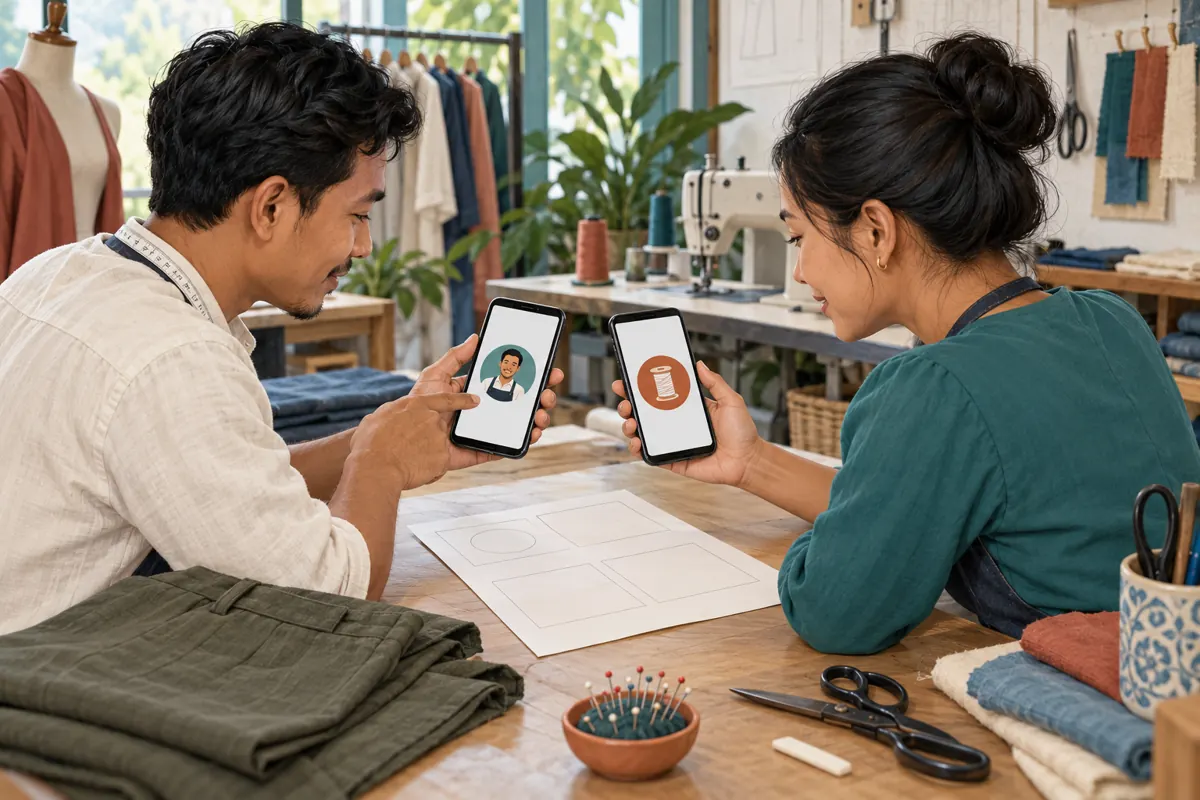
Consider a hypothetical alterations shop in Phnom Penh. Its Telegram channel shows a simple thread-spool emblem, while the owner answers enquiries through an account displaying a personal portrait. A visitor watches a demonstration, follows the enquiry instruction, and hesitates because the conversation looks unrelated. Neither image is necessarily wrong. The missing element is an understandable connection between the business and the person replying.
Write down the route customers are actually invited to take: demonstration post, enquiry destination, then first reply. Open each destination yourself and identify who controls it. Decide whether the account represents the whole shop or a named person working there. This decision comes before choosing a picture. A staff member's personal account should not accidentally become the apparent permanent identity of the business simply because it was convenient for one promotion.
2. Understand why two viewers can see different pictures
Telegram documents a public profile picture option for people who restrict access to their main profile photos. That public image is shown to viewers outside the permitted audience. Telegram also allows someone to assign a picture to a contact that only they see. These are different mechanisms: one is controlled by the account owner, while the other changes an individual contact's own view.
Consequently, a colleague saying that the picture looks correct is useful but incomplete evidence. Their view may not represent a stranger's experience. Treat a mismatch as something to investigate, rather than immediately uploading the same image again. Ask which account was opened, which viewer checked it, and whether that viewer had previously customized the contact. Keep the investigation focused on the image and destination; there is no need to collect private conversations or unrelated contact details.
3. Choose a photo policy that matches the account's purpose
For an account used exclusively for shop enquiries, a stable business image can make handovers easier. For an owner's mixed personal and business account, a recognizable public shop image may be more appropriate than exposing a personal photograph to every prospective customer. Choose deliberately. A public image should be something the owner is comfortable having strangers encounter, including people who never become customers.
Make both the image and the surrounding explanation truthful. If customers are speaking to the owner personally, say so in the enquiry instructions. If several authorized staff answer, describe it as the shop's enquiry account. Avoid portraits that imply a particular employee is responding when that is not reliably true. A thread spool, a distinctive existing shop mark, or a clear workshop detail can support recognition without making promises about who is currently holding the phone.
4. Prepare an image that survives a small circular crop
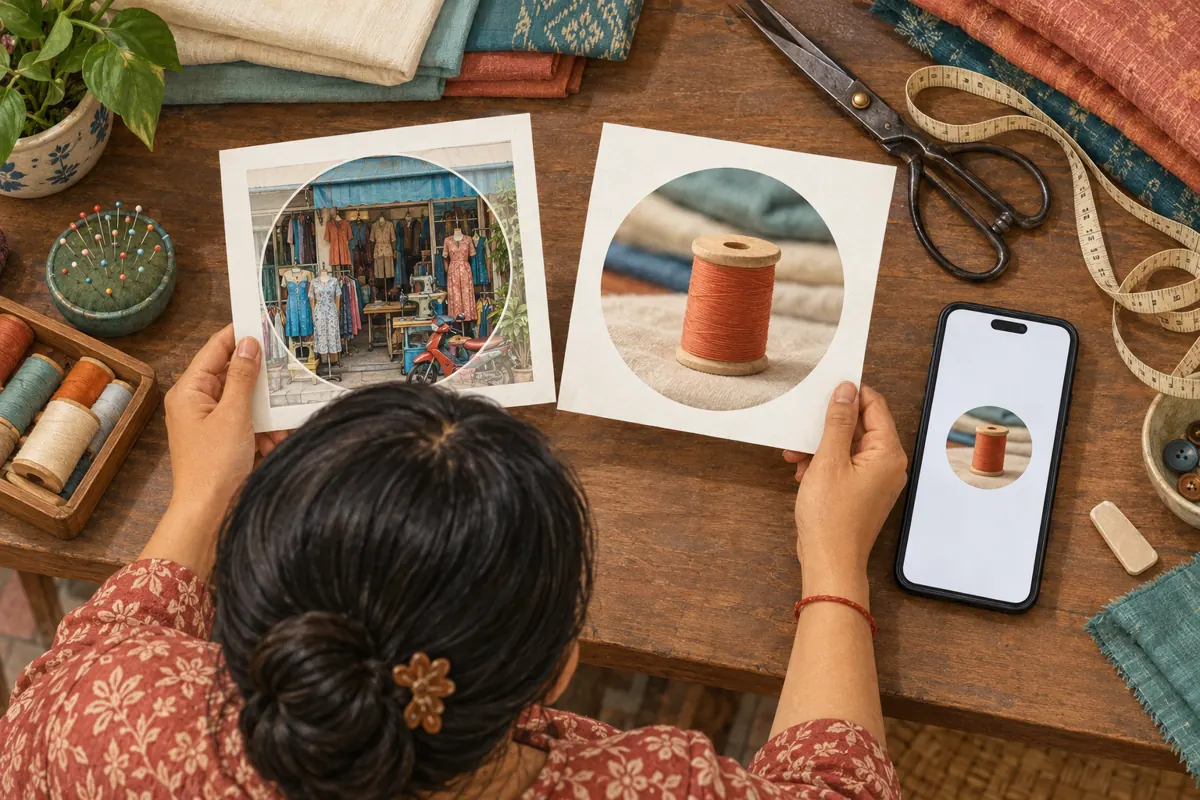
Start with an image the business owns or has permission to use. Place the recognizable subject near the centre and leave space around its edges. Compare the full image with a small circular preview. A storefront photograph may contain useful context when enlarged but become a jumble of shutters, garments, and parked vehicles at avatar size. A simpler detail may be easier to recognize.
Do not squeeze a price list, collection deadline, telephone number, and Khmer shop name into the picture. Put information that must be read into the accompanying account description or promotional copy. If the existing business mark includes lettering, inspect it on an ordinary phone before accepting the crop. Keep the original image available so staff can make a cleaner version later. Choose for recognition and accuracy, rather than trying to make the avatar carry the entire sales message.

5. Configure the intended audience, then test the result
Telegram places profile-photo visibility controls under Settings, Privacy and Security, Profile Photo. Review the audience and any exceptions, then set the public picture where appropriate. Menu wording can differ between clients. Work from the options shown in the account being configured, and record the intended outcome in plain language so another authorized staff member can understand it.
Next, arrange a check with two consenting reviewers: someone included in the main-photo audience and someone outside it. Have both open the exact enquiry destination used in the promotion. Confirm that neither review is being confused by a locally assigned contact picture. Ask what image appears and whether the business connection is understandable. Record the account checked, review date, viewer category, and result. A different picture can be the correct result if it matches the chosen policy.
6. Check the channel and enquiry account separately
Keep a channel's presentation and an individual's profile review as separate tasks. Do not assume that changing the owner's photo has completed the visual review of the channel. Look at each destination customers encounter. Images do not have to be identical, but there should be a recognizable relationship and a clear explanation when the customer moves from the shop's posts to a person's conversation.
In the hypothetical Phnom Penh shop, the channel might use the thread-spool mark while the enquiry account uses a portrait of the owner beside the sewing counter. The post can explain that fitting questions go to the owner through the stated destination. That sentence does more practical work than an unexplained matching colour scheme. Avoid asking customers to identify the account by its picture alone: images can be copied, and visual similarity does not establish ownership.
7. Resolve mismatches with a short decision process
If a reviewer sees an unexpected picture, first confirm that they opened the intended account. Next, compare their relationship to the account with the chosen visibility policy. Then check whether they assigned their own contact image. Only after those checks should you decide whether the underlying shop image needs changing. This sequence prevents repeated uploads from becoming a substitute for finding the cause.
If the correct picture appears but the reviewer still cannot recognize the shop, treat that as a communication problem. Simplify the image or clarify the connection in the enquiry instruction. If the image exposes something the owner did not intend to share, pause promotion while the owner reviews the relevant settings and visible material. Do not solve confusion by making every personal detail public. The target is a clear business identity with deliberate boundaries.
8. Keep SMM panel services outside the identity check
The supplied pay-smm.com catalogue includes the exact title “Telegram - Post Views ~ 1 post ~ 𝐍𝐎 𝗥𝗘𝗙𝗜𝗟𝗟 ~ 100k/days ~ INSTANT”. Its stated type concerns post views. The brief provides no supporting description, so the title's speed and other wording should not be treated as independently verified delivery commitments. Nothing supplied establishes a profile-photo editing or account-verification function.
For this workflow, the practical decision is straightforward: resolve recognition problems through the account and content review, not by ordering more views. Purchased engagement is not evidence of genuine interest, Cambodian users, sales, or advertising delivery. If a separate panel request is considered, review its current terms, required target, and platform rules independently. Keep any delivery record separate from the findings of the photo test. An increased post counter cannot show that a visitor recognized the shop or felt ready to enquire.
9. Evaluate the first conversation, not just the avatar
After the visual check, rehearse the first useful exchange. For a hypothetical customer asking about shortening trousers, the shop could request a garment photo and explain whether an in-person fitting is needed before confirming the work. The reply should identify the business naturally and avoid promising a completion time before staff know the job. Recognition supports this exchange, but a picture cannot replace a competent answer.
Keep a small log of genuine confusion when it occurs. Useful categories include uncertainty about the business identity, uncertainty about who replies, and uncertainty about where to bring the garment. Record only the information needed to improve the process. If fewer identity questions appear after the change, describe that as an observation within the reviewed conversations. Do not turn a handful of enquiries into a claimed conversion improvement, or attribute bookings to a profile photo without evidence.
10. Avoid recurring mistakes and assign a review owner
Common mistakes include testing only from the owner's device, replacing a recognizable picture for every seasonal offer, and treating a colleague's customized contact image as the public result. Another is approving the full-size image without checking its crop. Keep temporary promotions in posts where their dates and conditions can be explained. Reserve the profile image for a stable visual cue unless the business identity actually changes.
Assign one person to maintain the chosen image and a second to review the customer view when a meaningful change occurs. Suitable triggers include a new enquiry account, a staff departure, a rebrand, or a revised privacy setting. Save a brief note of the approved picture, intended audiences, and enquiry destination. This gives the next staff member enough context to preserve a working arrangement without reconstructing it from memory.
Frequently asked questions
Should every Cambodian shop use a logo instead of an owner's portrait?
No. Choose the image according to the relationship customers are entering. A portrait can suit an owner-led alterations service when the person is comfortable using it publicly. A shop mark may suit a shared enquiry account. In either case, pair the image with a clear explanation and inspect it at the size customers actually see.
Why can my assistant see the right picture while a new customer cannot?
They may fall into different photo-visibility audiences, or your assistant may have assigned a local contact picture. Confirm both viewers opened the same account and check those differences before changing the image. Ask for a description of the visible picture rather than requesting screenshots containing unrelated customer messages.
Does a recognizable photo prove that an account belongs to the shop?
No. A photo is a recognition aid and can be copied. Direct customers through the enquiry destination the business itself maintains, and confirm that destination during the review. Do not use a familiar portrait or emblem as the sole reason to trust payment instructions or disclose private order information.
Can a Telegram post-view service fix poor recognition?
No supplied service information supports that function. A post-view request and a profile presentation change address different things. If customers hesitate because the enquiry account looks unrelated, fix the image, explanation, or destination. More recorded views would not establish that the identity problem was solved.
How often should we repeat the review?
Repeat it when something relevant changes, such as the public image, visibility settings, enquiry account, or person responsible for replies. Also investigate an actual customer report of confusion. A short review after a meaningful change is more useful than frequent cosmetic updates that make an otherwise familiar shop harder to recognize.
Explore the current service catalogue, create an account, or ask a specific question through support tickets.
- Telegram: Hidden Media, Zero Storage Usage, New Drawing Tools, Profile Pictures for Your Contacts, and More
- Telegram Technical Documentation: User Profiles
Prepared with AI assistance. Illustrations explain the workflow and do not represent customer results.